Hidden Messages on iPhone: How to Find and Spot Them

Content Marketer
Suspect hidden texts on their iPhone? Learn where messages actually hide, the warning signs to watch for, and how to check safely and discreetly.
You just noticed your partner's phone buzz with a text, but no notification appeared on their lock screen.
They glanced at it, smiled, typed something quickly, then said "Just spam" when you asked.
But here's the thing: iPhone doesn't hide messages from "spam" by default.
Messages can file texts into separate folders that many people never open, which means there could be entire conversations sitting right under your nose.
Here's what's actually happening:iPhones have multiple built-in features that tuck away texts.
Sometimes it's innocent tech settings.
Sometimes it's intentional concealment.
Why Those "Innocent" iPhone Settings Aren't So Innocent
You're probably thinking you're overreacting.
Maybe they just have some privacy settings turned on. Maybe you're reading too much into normal behavior. Maybe everyone filters their texts and you're the paranoid one.
That said, a privacy setting on its own proves nothing. Plenty of people filter texts simply to cut down on spam.
When someone suddenly starts using iPhone's built-in privacy features, like filtering unknown senders or hiding message previews, it can be worth noticing alongside other changes. On its own, it isn't proof of anything.
One thing worth knowing: dating apps don't text you when a match writes. Tinder, for example, uses push notifications and email, so a match's message never lands in the Messages app.
The Unknown Senders filter only collects texts and iMessages from numbers that aren't saved as contacts.
It's not the technology that's the problem. It's the intentional use of that technology to create plausible deniability.
The real question isn't whether iPhone can hide messages, it's whether your gut instincts are worth investigating.
Quick Checks: Built-In iOS Folders That Hide Texts
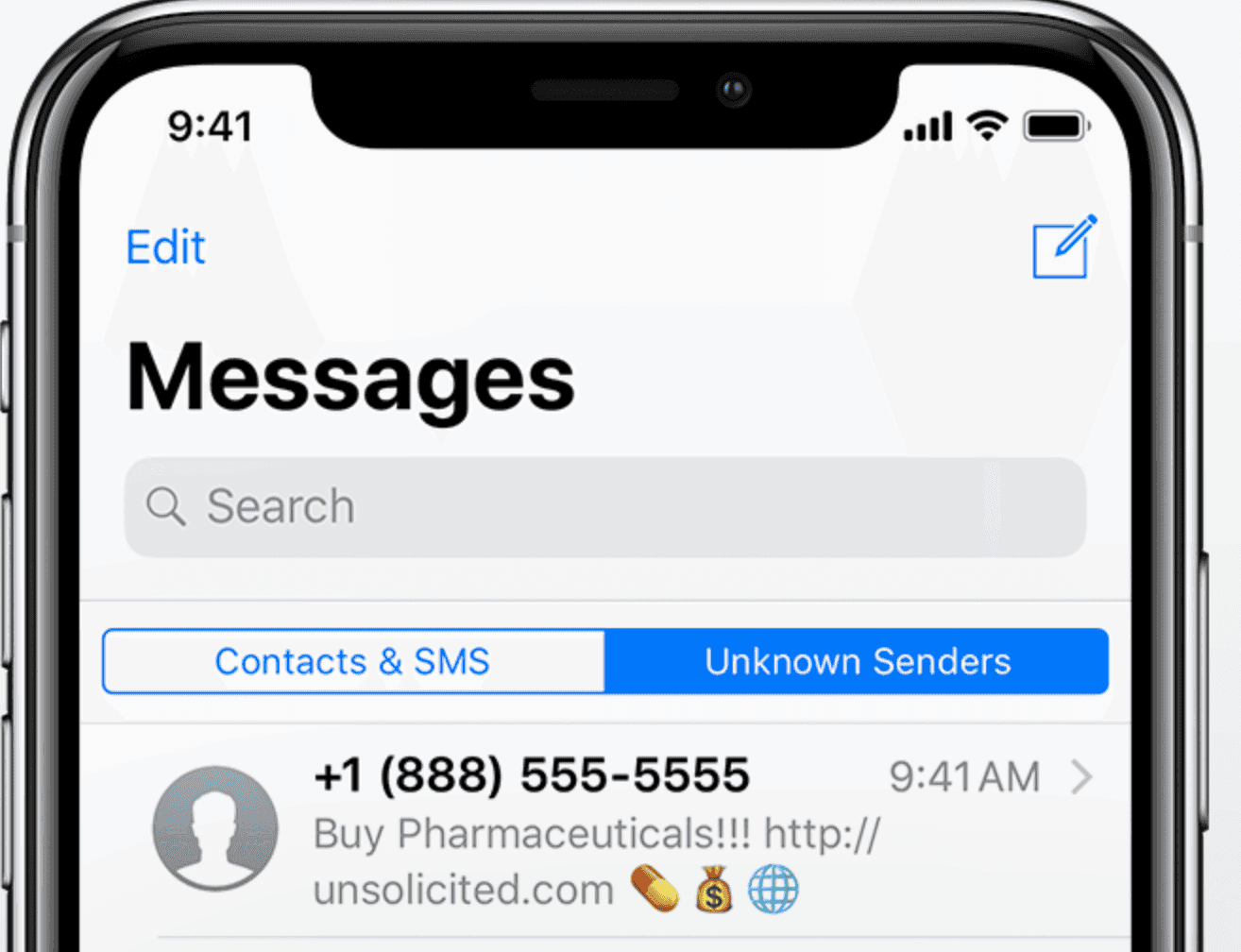
Start with the basics, on your own iPhone or a device you genuinely share: iPhone's Messages app has built-in filters that tuck away texts without you noticing. Open the app and tap the Filters button. This reveals categories like Known Senders, Unknown Senders, and Recently Deleted.
Unknown Senders is a common culprit.Texts from non-contacts land here, often going unread. Check it regularly, many users forget this folder exists.
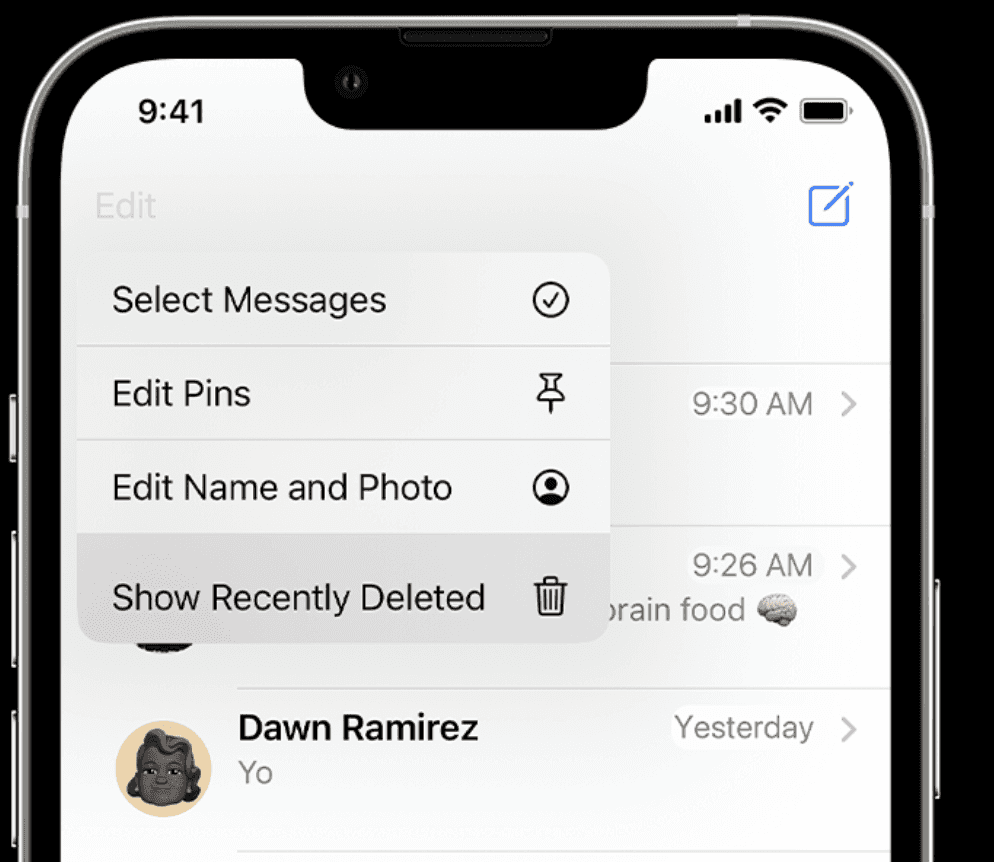
For deleted messages, head to Recently Deleted; they stick around for 30 days before vanishing.
What if you're dealing with dating app crossovers? If suspicious texts link to platforms like Bumble, learn how to find someone on Bumblefor more details. These quick checks take seconds but can uncover a lot.
Don't overlook Unread or All Messages filters too. A simple swipe might expose what was meant to stay hidden.
Dig Deeper: iCloud, Backups & Third-Party Recovery Tools
If the basic folders come up empty, iCloud is the next place people think of, and this is where the line matters.
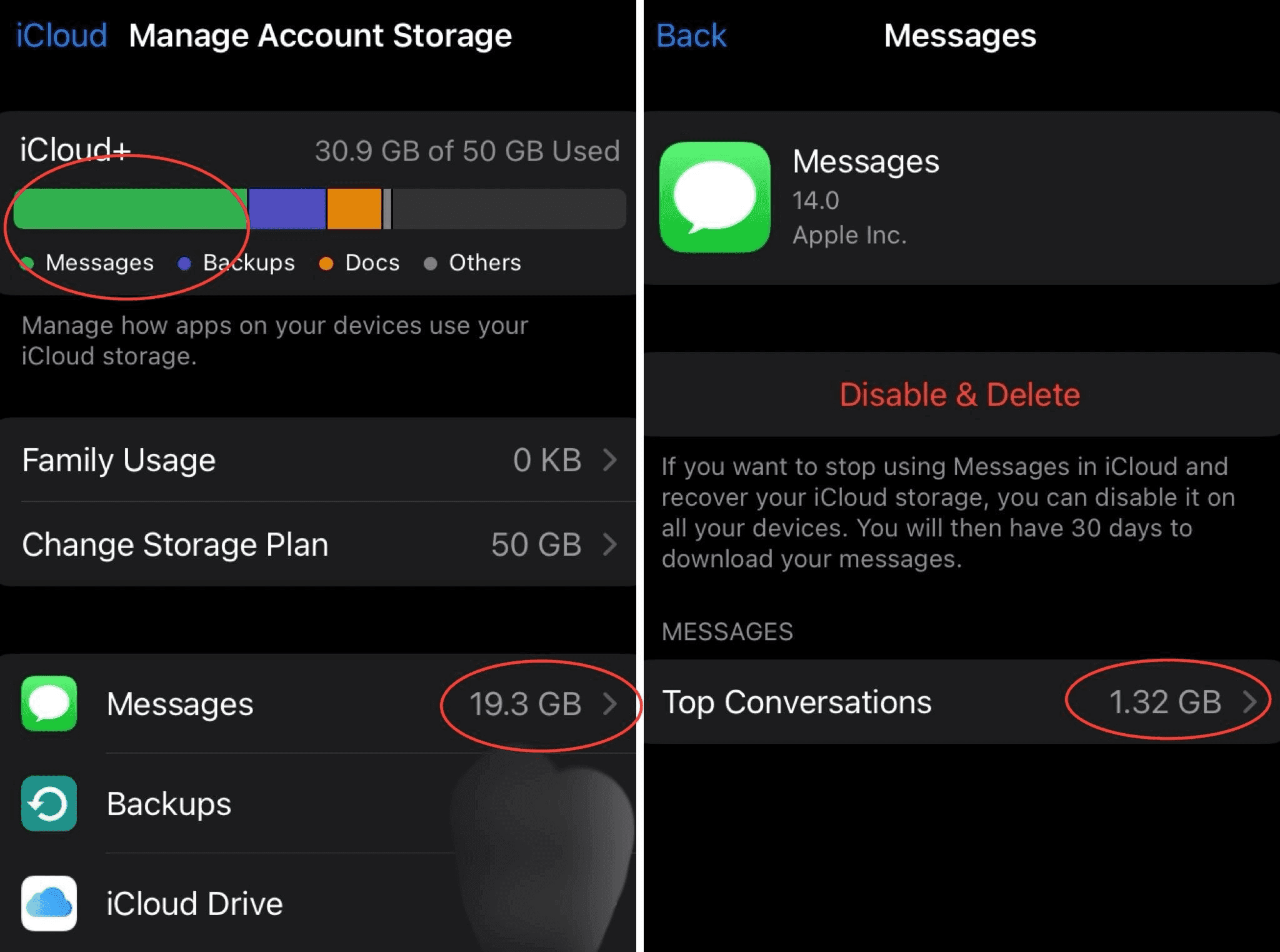
Messages sync across devices if enabled inSettings > [Your Name] > iCloud > Messages.
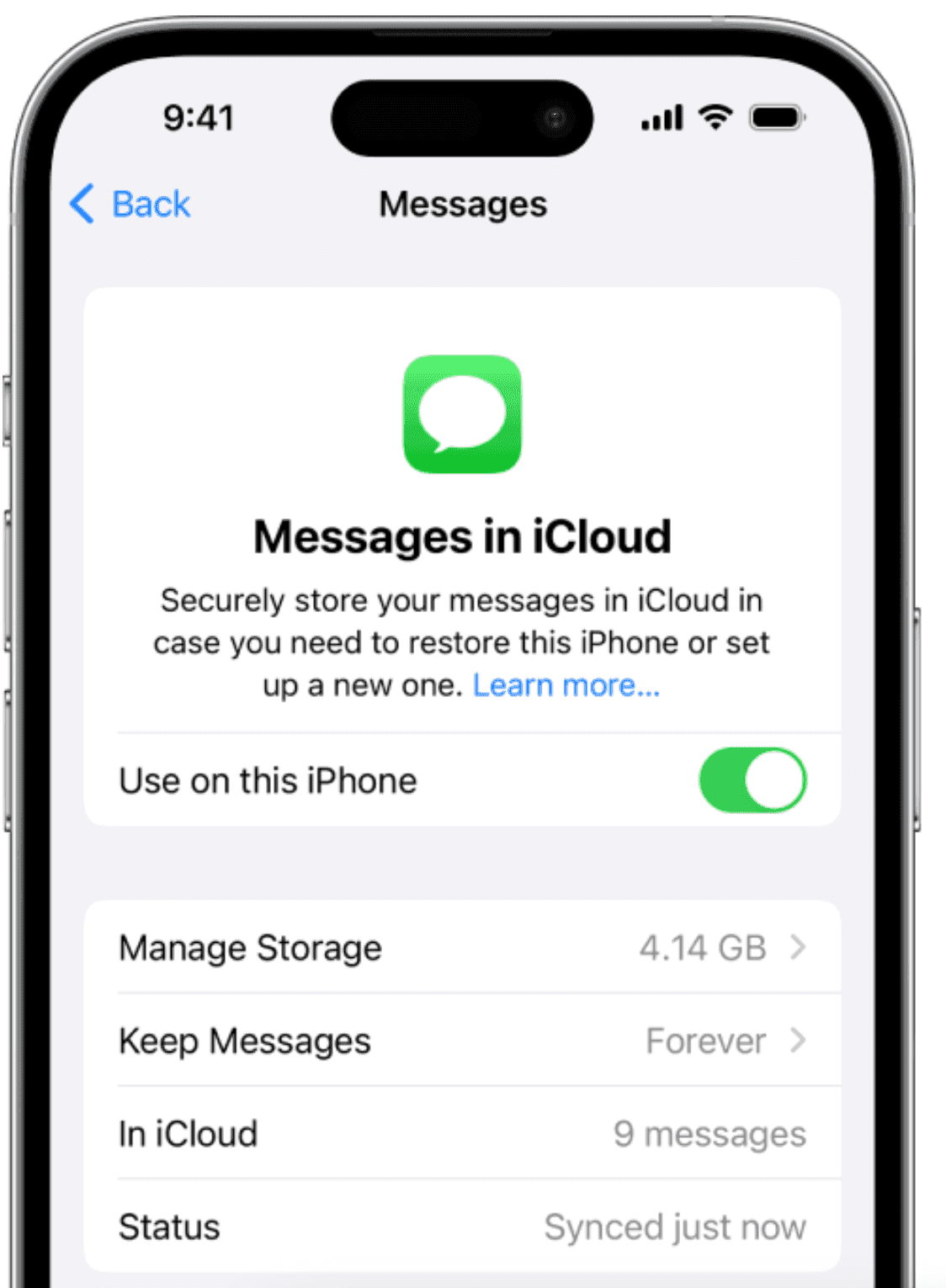
On your own iPhone, Recently Deleted keeps deleted messages for up to 30 days, and with Messages in iCloud, a message you recover comes back on all your devices.
On someone else's phone, it's a different story. Apple states plainly that you can't recover messages, attachments and conversations on other people's devices.
Erasing their iPhone and restoring it from a backup to read their messages, or running a recovery tool on it, means accessing their device without consent. That is illegal in most countries, under laws like the US Wiretap Act and the UK Computer Misuse Act, and it can be used against you in a divorce. Our guide on whether it's illegal to put spyware on your partner's phone explains the law in detail.
If what you really want to know is whether they have a dating profile, there's a legal way to check that doesn't involve their phone. We cover it below.
Step-by-Step iCloud Recovery on Your Own iPhone
- Open Messages and tap the Filters button (on iOS 18, tap Edit).
- Tap Recently Deleted.
- Select the conversations you want back and tap Recover.
Off-Radar Apps & iOS Workarounds People Use to Conceal Chats
Some folks get creative with hiding messages beyond stock features.
Apps disguised as calculators or vaults store private chats securely.
Others use the Notes app to share a note and write back and forth in it, outside the Messages app.
Screen Time limits add another layer. Communication limits can restrict who someone can talk to and when, which can keep some conversations out of view.
Then there are third-party messaging apps with auto-delete features.
For dating-related secrets, platforms like OnlyFans might hide behind these. Wondering how to spot them? Check out how to find someone on OnlyFans.
CheatEye, our own tool, fits here too: it looks for a Tinder profile from a first name, age, gender and city, and shows its last activity if one is found, even if iPhone messages stay concealed.
No need to touch anyone's phone, and results usually come within a few minutes.
| Common Hiding Method | How to Detect It |
|---|---|
| Vault Apps | Search App Store history or check battery usage for suspicious apps. |
| Notes Collaboration | Look for shared notes in the Notes app. |
| Screen Time Limits | Spot hourglass icons in Messages. |
| Disguised Calculators | Scan for apps like Private Calculator in the library. |
These tricks are common, but awareness helps you stay ahead.
Red Flags Your Partner Is Hiding Messages
Suspicious behavior often pairs with tech habits. Sudden toggles to Filter Unknown Senders could mean they're routing texts away from the main inbox. Since iOS 26, this setting sits in the Messages app under Filters, and it's off by default.
Frequent deletions or odd backup schedules at night hint at cover-ups. If their phone buzzes but no notification shows, it might be hidden previews at play.
New passcodes or Face ID changes are tells too. Combined with evasive answers about their day, these flags warrant a conversation. Remember, trust starts with open talks, not assumptions.
How to Use Cheateye for a Wider Digital Footprint Check
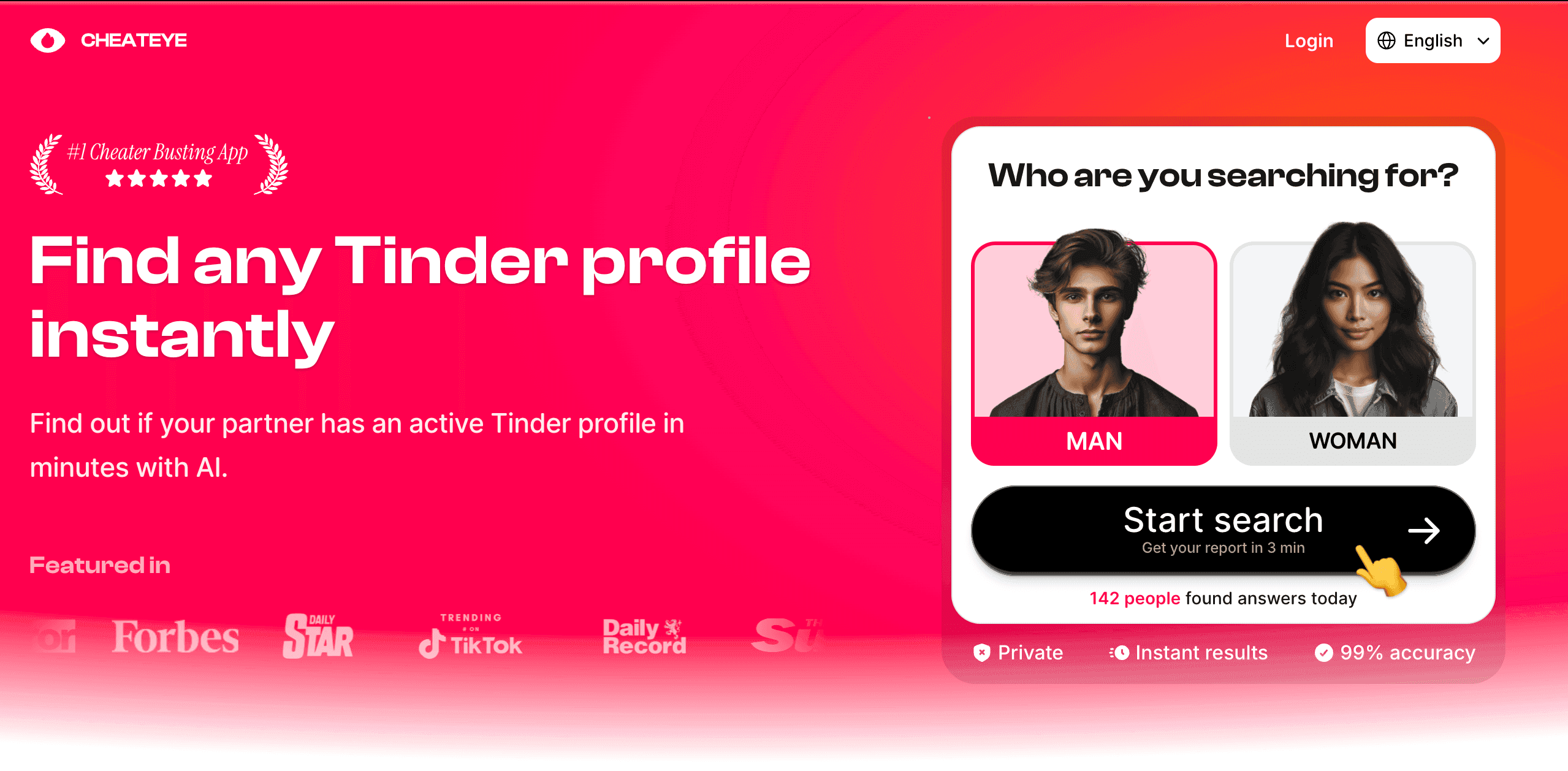
Sometimes, iPhone checks aren't enough if secrets span apps. That's where CheatEye steps in. Our own tool looks for a Tinder profile from a first name, age, gender and city, with an optional photo, and the person isn't notified.
Getting started is simple.Visit cheateye.ai, enter the details, and let it scan. Results include profile activity, helping you connect dots from hidden messages to online behavior.
It's discreet and doesn't involve anyone's phone. A search costs 17.90 and the add-on for Bumble, Hinge, Happn and OkCupid costs 12.90 (USD, EUR or GBP depending on your country). It's worth a try if dating apps are in the mix.
Protecting Your Own Privacy on iPhone
Flip the script: maybe you want to safeguard your messages.Enable Face ID for appsin Settings > Face ID & Passcode. Set auto-delete for old texts via Messages > Keep Messages.
Manage read receipts and previews to control what's visible. For dating privacy, if you're on Hinge, explore how to find someone on Hingesafely.
Respect boundaries, privacy tools are for protection, not deception. Use them wisely to build trust.
In wrapping up, finding hidden messages on iPhone boils down to knowing where to look and spotting patterns.Key
takeaways: Check filters first, use iCloud and Recently Deleted on your own devices only, and watch for concealment apps. If trust issues linger, tools like CheatEye offer non-invasive insights.
Don't let doubts fester, address them head-on. Ready to uncover more? Try Cheateyefor a Tinder profile search today, or dive into our linked guides for app-specific tips. Your peace of mind starts now.