How to Find Someone on Tinder: 5 Methods That Work (2026)

Content Marketer

Tinder has no search bar, but there are workarounds. Find someone by phone number, photo, or social media with 5 free and paid methods that actually work.
Your friend sends you a screenshot. “Isn’t this your partner?”
A Tinder profile stares back at you. Same photos. Same city. Active 2 hours ago.
Your stomach drops.
Maybe you need to confirm what your friend saw.
Maybe you’re checking on someone you just started dating.
Maybe you matched with someone elsewhere and want to verify who they really are.
Whatever your situation, you need answers fast.
What you don’t have is help from Tinder. The app makes it almost impossible to look someone up. There’s no name search, no username lookup, no global directory, and no way to type in someone’s info and pull up their profile.
Tinder forces you to create an account, verify your phone, and swipe endlessly, hoping to stumble across one exact person among thousands.
It’s intentionally difficult.
But if you’re trying to figure out how to find someone on Tinder, the good news is: youcan.
You just need the right approach.
Below are the7 best methods,from simple free tricks to highly accurate search tools that actually work in 2025.
By the end, you’ll know the fastest, most reliable option for your situation.
Why Tinder Makes This So Difficult
Finding people online today is usually easy.
Google their name? Done.
Look them up on Instagram? Takes seconds.
But Tinder?
Tinder goes out of its way to hide user identities.
Officially, they claim it’s for privacy and safety. And yes, a public search could make stalking easier.
But the deeper reason is structural:
Tinder earns money the longer you spend searching
If you could simply type in a name and instantly find someone, you’d close the app in 30 seconds. No swiping, no ads, no urge to buy Tinder Plus or Gold to speed things up.
So Tinder built walls:
- No name search
- No email lookup
- No username search
- No external profile links
- Limited free swipes
But where big platforms build restrictions, people build workarounds.
Every method below exists because users found ways around Tinder’s design.
Let’s break them down, starting with the easiest.
Method 1: Check Their Phone for the Tinder App
⏱️ Time Required:10-15 minutes
💰 Cost:Free
📊 Success Rate:High (if you can access the phone)
This is the simplest and most reliable way to check if someone has Tinder: no tools, no searching, no complicated steps. If you can get access to their unlocked phone for a few minutes, you can quickly confirm whether Tinder is installed or used recently.
On iPhone:
Basic checks
- Swipe through home screens for the Tinder icon
- Pull down from the middle and search “Tinder” in Spotlight
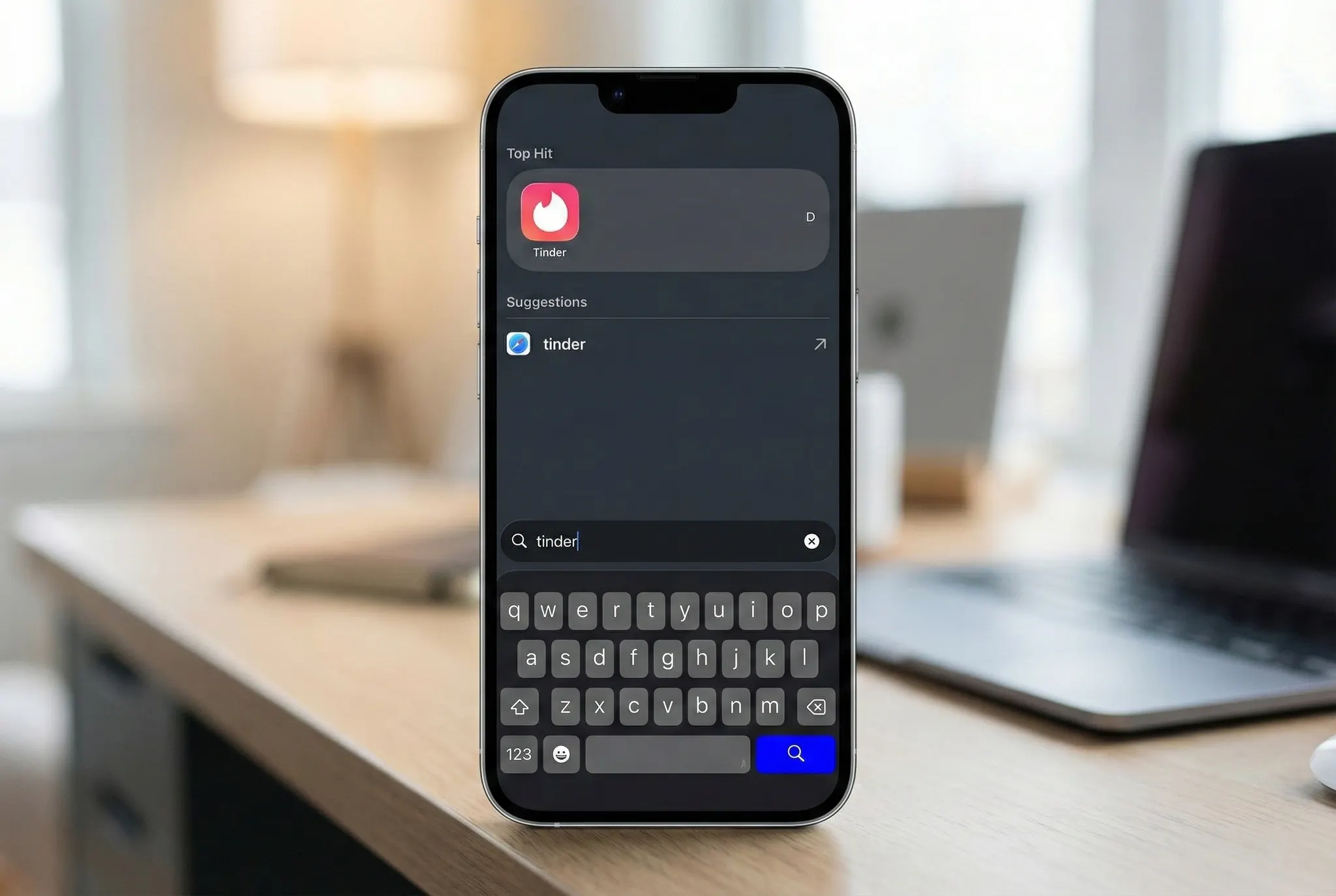
Check hidden locations:
App Library- Swipe all the way right past your last home screen. Check the "Social" category first, then browse others.
iPhone Storage- Go to Settings > General > iPhone Storage. Scroll alphabetically. Tinder appears here alphabetically even if it’s hidden from the home screen.
Screen Time- Settings > Screen Time > See All Activity. Recent Tinder usage shows up here even if the app is deleted.
App Store- Search for Tinder. If it's installed, you'll see "Open" instead of "Get."
For Android:
Basic checks:
- Open the app drawer and scroll searching "Tinder"
- Check folders on the home screen (people hide dating apps in random folders)
Deep checks:
Settings > Apps- Shows every installed app, even hidden ones. Scroll through or search for Tinder.
Google Play Store- Tap your profile icon > Manage apps & device > Installed tab. Every app shows up here.
Data Usage- Settings > Network & Internet > Data Usage. If Tinder's been used, it'll show data consumption.
Reality Check
This is the best method when you have access to their device.
You'll know for certain if Tinder is installed, and Screen Time or Data Usage can even show you how actively it's being used.
But many people who are hiding a Tinder account won’t make it easy.
They might:
- Use a second phone
- Use Tinder Web on a laptop
- Hide the app inside folders
- Install/uninstall frequently
Still, if you can check their phone, this is the most direct way to find someone on Tinder.
Method 2: Search Email for Tinder Verification

⏱️ Time Required:10-15 minutes
💰 Cost:Free
📊 Success Rate:Medium
Tinder sends emails when someone:
- Creates an account
- Restores an account
- Resets their password
- Gets login verification
- Receives certain notifications
People rarely delete all these emails, so checking their inbox can reveal surprising information. If you can access their email (on a shared laptop, logged-in tablet, or family computer), here's how to search for Tinder activity.
Gmail:
Type this in the search bar:tinder.com in:all
This searches your entire mailbox including trash and spam folders.
Outlook/Hotmail:
Search:tinder.com
Then manually check Deleted Items and Junk folders.
Yahoo Mail:
Use the search bar withtinder.comand check all folders including trash.
What counts as proof?
- “Verify your Tinder account”
- “Your Tinder code is…”
- “Welcome back to Tinder”
- Password reset emails
- Login alerts
This often reveals whether a Tinder account was created and how recently.
Reality Check
This method works surprisingly well when you have access to shared devices or family computers.
But if they signed up using:
- A secondary email
- A hidden email
- Their phone number only
… you may find nothing.
Still, it’s quick and worth trying if you have email access.
Method 3: Check Text Messages for Verification Codes
⏱️ Time Required:5 minutes
💰 Cost:Free
📊 Success Rate:Low-Medium
Tinder requires SMS verification for every new account.
Their phone might still have these text messages.
iPhone:
Swipe down in the Messages app to reveal search. Type"Tinder"and"verification code"

Android:
Tap the search icon in Messages. Search"Tinder"and"verification code"
What to Look For:
- "Your Tinder code is..."
- 5-6 digit codes from unknown numbers
- Any message containing "Tinder"
Reality Check
This is a quick supplement if you already have phone access from Method 1. Takes 30 seconds to check.
The problem? Text messages are incredibly easy to delete. Most people clean out verification codes regularly since they're useless after login.
But it's fast enough to be worth trying while you're already checking their device.
Method 4: Create a Tinder Account and Search Manually

⏱️ Time Required:Hours to Days
💰 Cost:Free (or $15-40/month for Tinder Premium)
📊 Success Rate:Low-Medium (depends on location)
This is the traditional approach: make your own Tinder account and swipe until you find them.
Not glamorous. Not fast.
But sometimes effective.
Setup Strategy:
Create an anonymous profile- Use a secondary phone number or email so it's not linked to you.
Set precise filters:
- Location: Their neighborhood or workplace area
- Age: Their exact age or narrow range (within 2-3 years)
- Distance: Start with 1-5 miles, expand if needed
Configure your profile- Use photos and a bio that would appeal to their type. This increases the chance they'll appear in your feed.
Optimization Tips:
- Swipe during peak hours (8–11 PM, weekends) when they're most likely active.
- Widen your distance gradually if you don't find them in the first few hours.
- Consider Tinder Gold to see who liked you. This can shortcut the endless swiping.
Reality Check
This method can take hours or days, especially in big cities like NYC or London where the user base is massive. It works much better in smaller towns where the user base is limited.
And there’s one big catch:
If they turned on “Only people I’ve liked can see me,” you’ll never find them.
Tinder limits free users to about 50 likes per 12 hours, making this even slower without paying.
Manual searching is a backup plan, not a primary strategy.
Method 5: Use Reverse Image Search
⏱️ Time Required:15-20 minutes
💰 Cost:Free (paid options available)
📊 Success Rate:Medium
If you have clear photos of the person from social media, you can check whether those same photos appear on dating apps.
Step-by-Step:
1. Get a clear photo- Take one from their Instagram, Facebook, or any social media profile.
2. Use search engines:
Google Images- Go toimages.google.com, click the camera icon, and upload the photo.
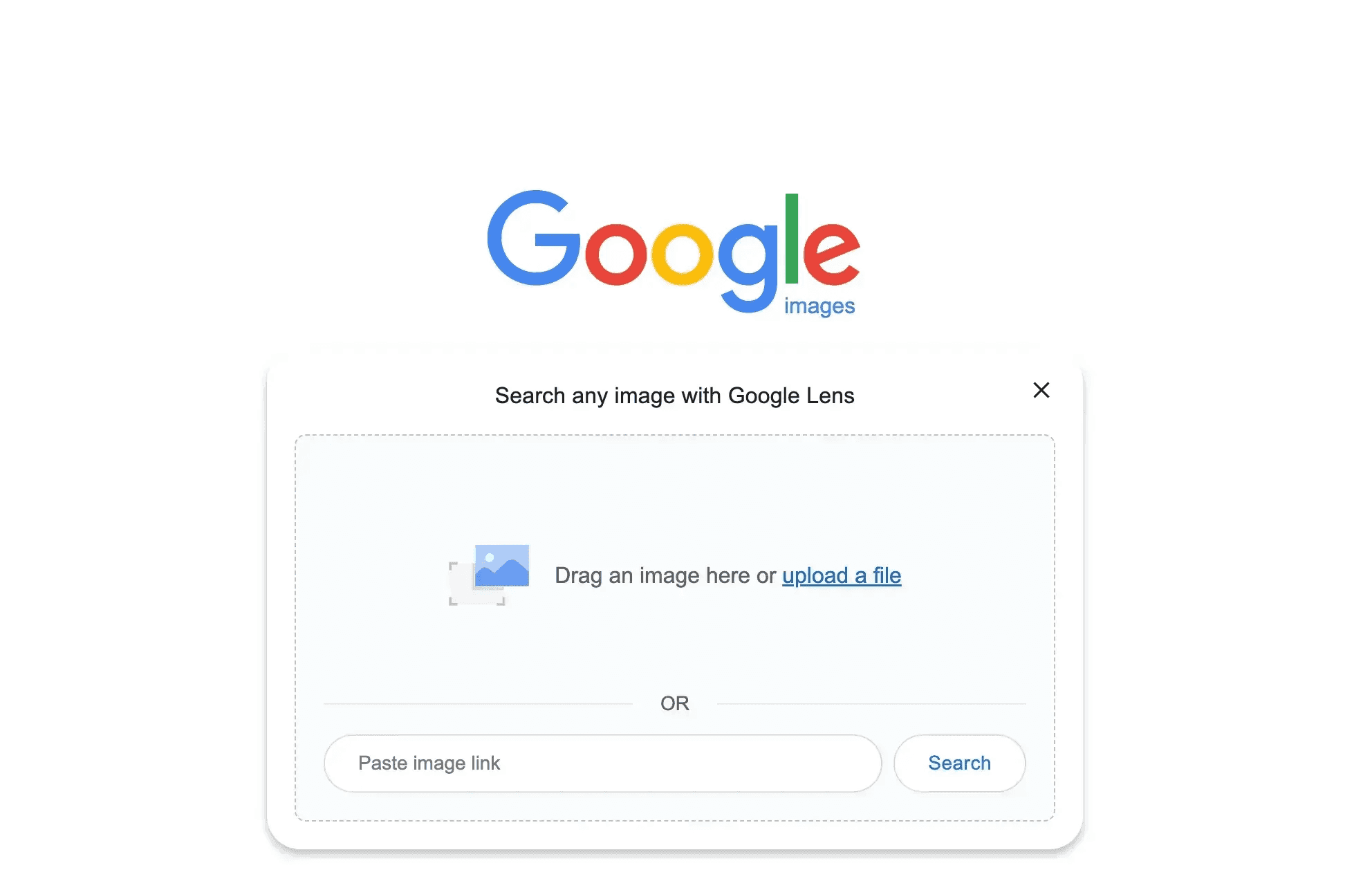
TinEye- Visittineye.comand upload the same image. Different algorithm, sometimes finds what Google misses.
Yandex Images-yandex.com/imagesis particularly good at finding social profiles and dating apps.
Social Catfish- Paid service ($27.99/month) but more comprehensive for dating profile searches across multiple platforms.
Reality Check
Reverse image search works only if they used the same photos on Tinder.
Many people now:
- Use completely different photos
- Use edited or AI-generated images
- Keep dating photos offline
Still, this method is quick and free worth trying.
Method 6: Third-Party Tinder Profile Search Tools
⏱️ Time Required:5-10 minutes
💰 Cost:$15-50 per search
📊 Success Rate:Very High
This is the fastest and most reliable way to find someone on Tinder. Third-party search tools access Tinder's database using name, age, location, and photos.
How It Works:
You input basic information:
- First and last name
- Approximate age
- City or location
- Optionally: a photo for facial recognition
The tool cross-references this against Tinder's database and returns matching profiles with confidence scores.
Cheateye.ai- The Best Tinder Account Finder

While tools like Cheaterbuster exist,Cheateyestands out as the most accurate and comprehensive option for Tinder searches.
What you get:
- All photos from their Tinder profile
- Complete bio and prompts
- Last active timestamp
- Approximate Location
- Account creation date
It uses facial recognition to match profiles even when names or ages don't match.
Delivers 98% accuracy with pay-per-search pricing, no subscription required.
Pricing:$15-25 per search. Worth it for the accuracy and detail you get.
Reality Check
These tools deliver results in minutes instead of days of manual searching.
They're not free, but if you need certainty and want to avoid creating a Tinder account yourself, Cheateye is your best option.
Theywon’twork if:
- The profile was recently deleted
- The person uses entirely different photos
But as long as they have an active Tinder profile, this is the quickest way to verify it.
Method 7: Look for Clues on Social Media

⏱️ Time Required:20-30 minutes
💰 Cost:Free
📊 Success Rate:Low-Medium
People accidentally reveal their dating app activity on social media all the time.
Instagram, Facebook, and X (Twitter) can show you signs someone's using Tinder, even if they're trying to hide it.
Instagram Clues:
New selfies- Sudden spike in mirror selfies or solo photos? People update their Tinder profiles and often post the same photos on Instagram.
Story screenshots- Watch for screenshots of funny Tinder conversations or profiles they share with friends.
New follows- A bunch of local strangers following them or vice versa? These could be Tinder matches that moved to Instagram.
Location tags- New restaurants, bars, or venues they've never mentioned before might indicate Tinder dates.
Facebook Clues:
Relationship status- Changed to "single" or removed completely.
New friends- Lots of new additions from the opposite sex in their area.
Activity in dating groups- Some people join local singles communities.
X(Twitter) Clues:
Search:from:username tinderorfrom:username dating appto see if they've tweeted about Tinder.
Reality Check
This method doesn't show you their Tinder profile directly, but it helps confirm whether they’re actively dating.
Think of it as supporting evidence rather than definitive proof. It works best combined with other methods.
Best for: Building a case when you already suspect something but need more confirmation before confronting them.
Which Method Should You Use?
Here's a quick breakdown of all 7 methods to help you decide which fits your situation:
Summary: How to Find Someone on Tinder
Finding someone on Tinder is intentionally difficult, but absolutely possible when you use the right methods. Some approaches work faster but cost money. Others take time but are completely free.
No single technique guarantees success, but combining multiple methods increases your odds. Direct phone access gives the clearest answers. Profile search tools deliver the fastest results. Free methods require patience but can still uncover what you need.
Remember that finding an active profile and finding an old forgotten account are two different things. Context matters.
What Actually Works
- Checking their phone is the clearest proof.
- Cheateye is the fastest and most accurate.
- Email searches catch lingering verification messages.
- Social media leaves subtle clues.
- Reverse image search helps when photos match.
- Manual swiping works only in small towns.
Things to Consider
- Free methods first, paid tools when you need speed
- An existing profile doesn't mean active cheating
- Trust matters more than surveillance in healthy relationships
- Search tools save hours of manual work
In the end, honesty and communication matter most, but if you truly need answers, these seven methods give you every reliable way to uncover the truth.
Nach wem suchst du?

MANN

FRAU
Privat
Sofortige
99% Genauigkeit